Mac
Legacy guide: screenshots and helper-tool steps may differ from the current product.
This is an English translation of a legacy guide. For the original wording, read the Chinese original.
Connection Tutorial for Overseas Environments
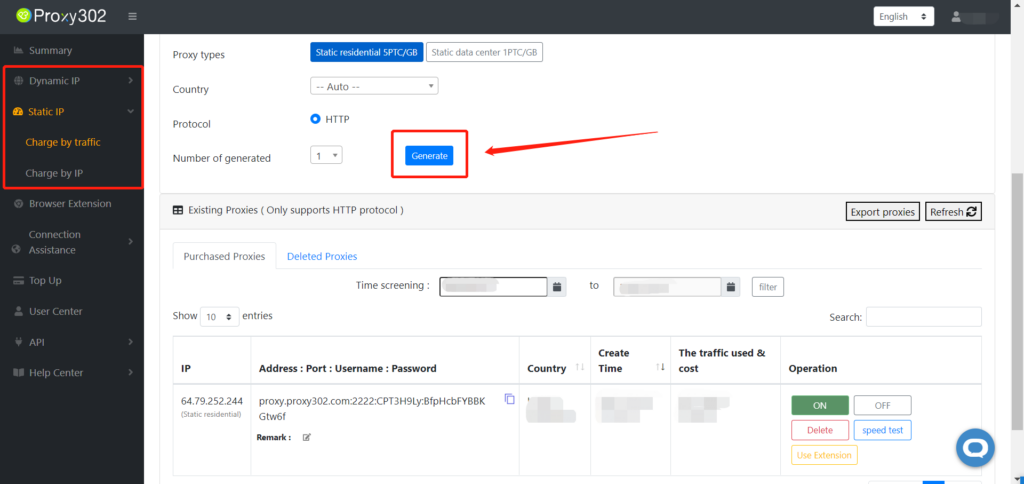
1. Log in to the Proxy302 client and generate a proxy.
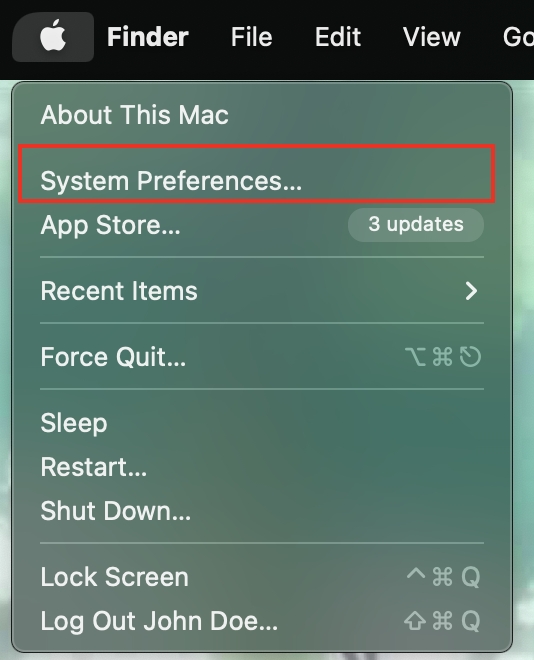
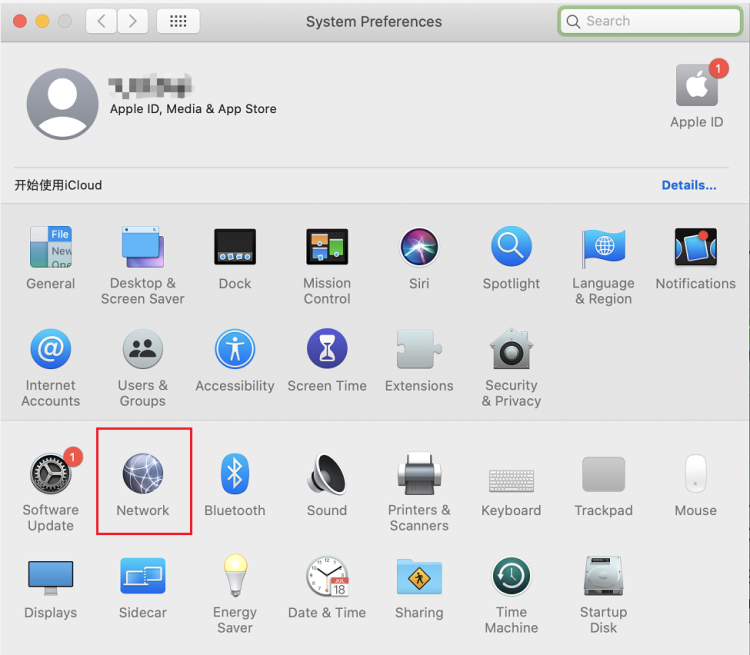
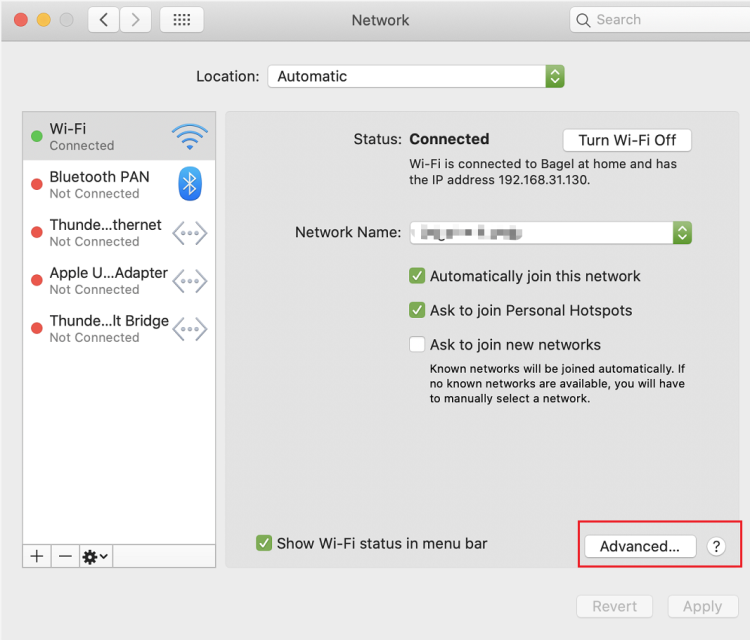
2. On your Mac, select "System Preferences" from the Apple menu, then click "Network".
3. In the list, select the network service you are using, or Wi-Fi.
4. Click the "Advanced" option, then select "Proxies".
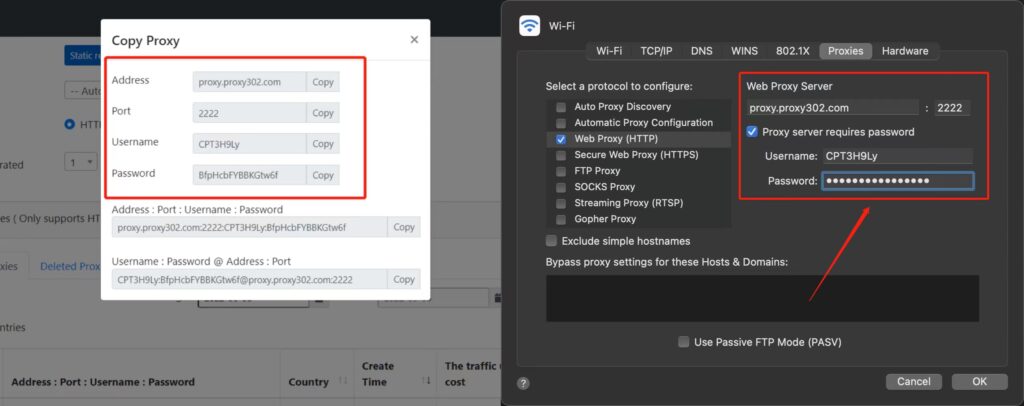
5. Copy the generated proxy address and port into the corresponding input boxes, then select the "Proxy server requires password" checkbox, and copy the username and password of the generated proxy node into the "Username" and "Password" fields.
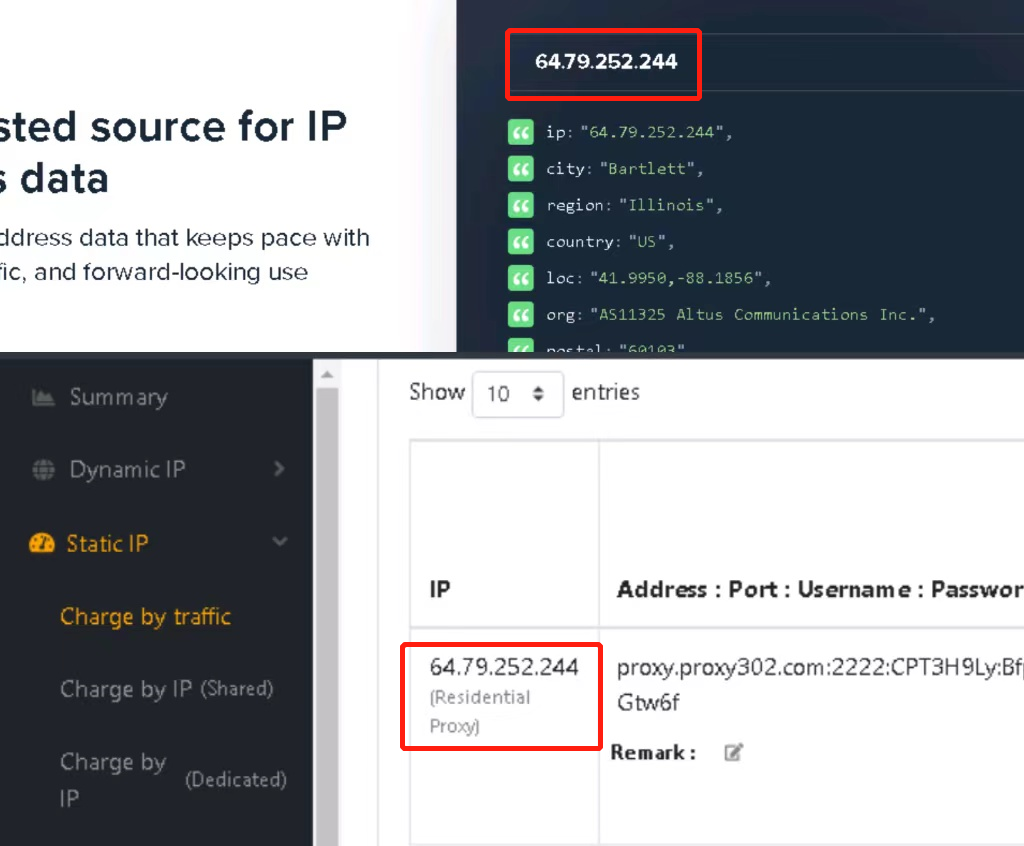
6. Confirm that the proxy is set up successfully. Enter "ipinfo.io" in your browser; if the IP address on the page matches the configured proxy IP, the proxy is set up successfully.