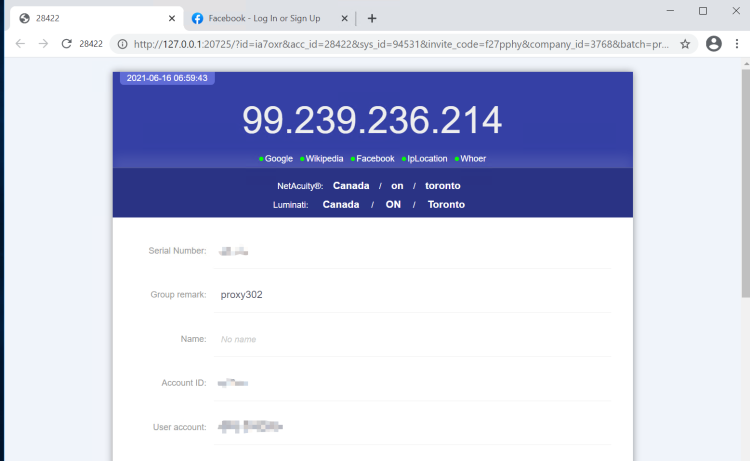
Adspower
Legacy guide: screenshots and helper-tool steps may differ from the current product.
This is an English translation of a legacy guide. For the original wording, read the Chinese original.
Click the registration link or scan the QR code with your phone to register an Adspower account.
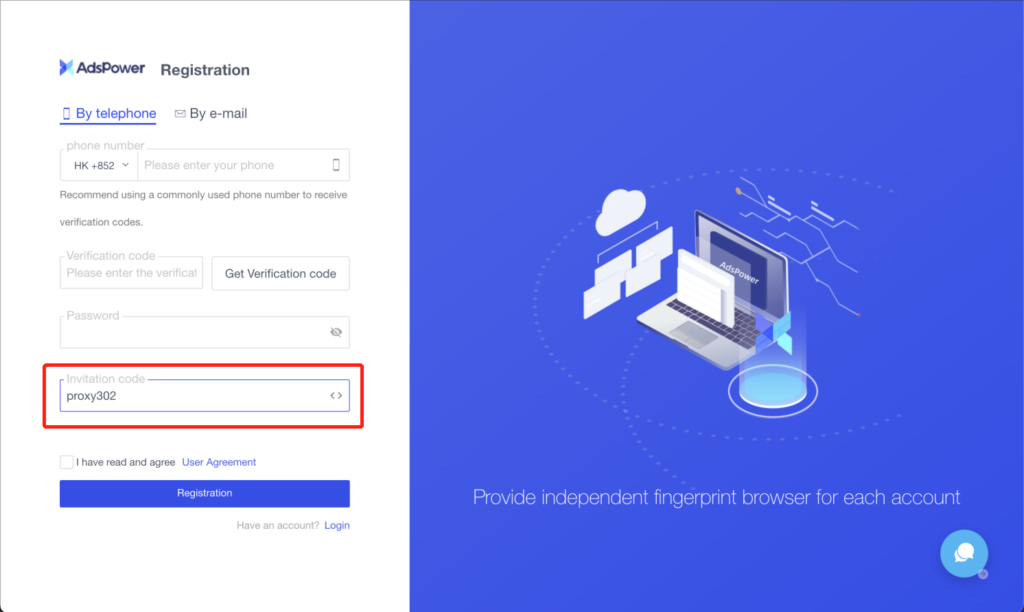
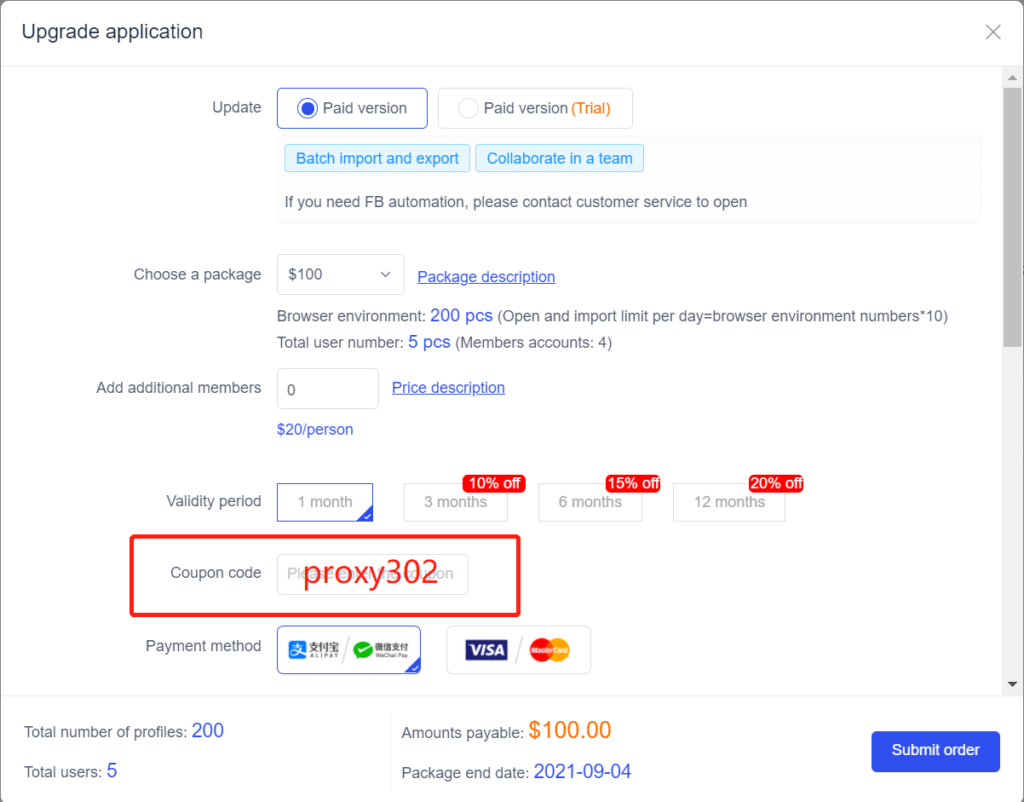
Enter the exclusive invitation code [proxy302] to enjoy a 5% discount on your first month.
Registration link: https://app.adspower.net/registration?code=proxy302
QR code:

You can also download the AdsPower software and register for a free AdsPower account on the official website.
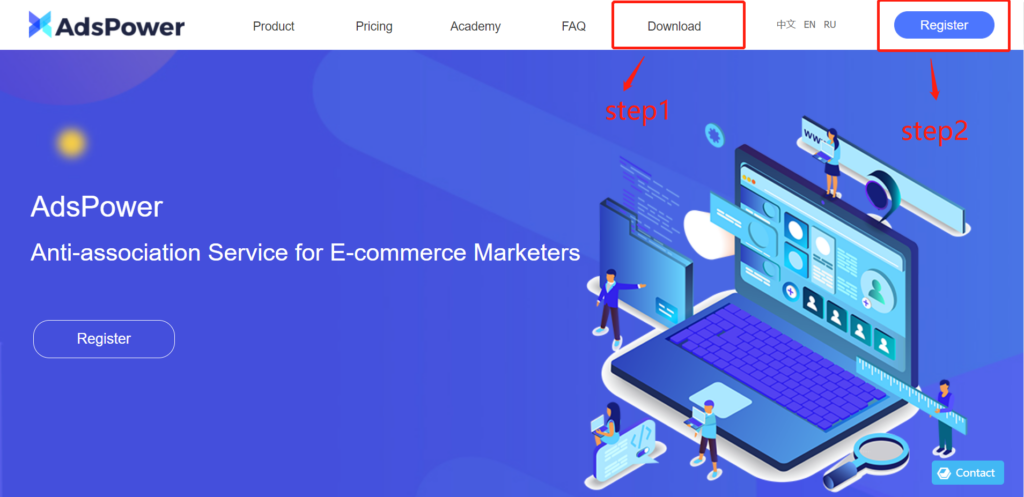
Enter the exclusive invitation code [proxy302] during registration to enjoy the discount.
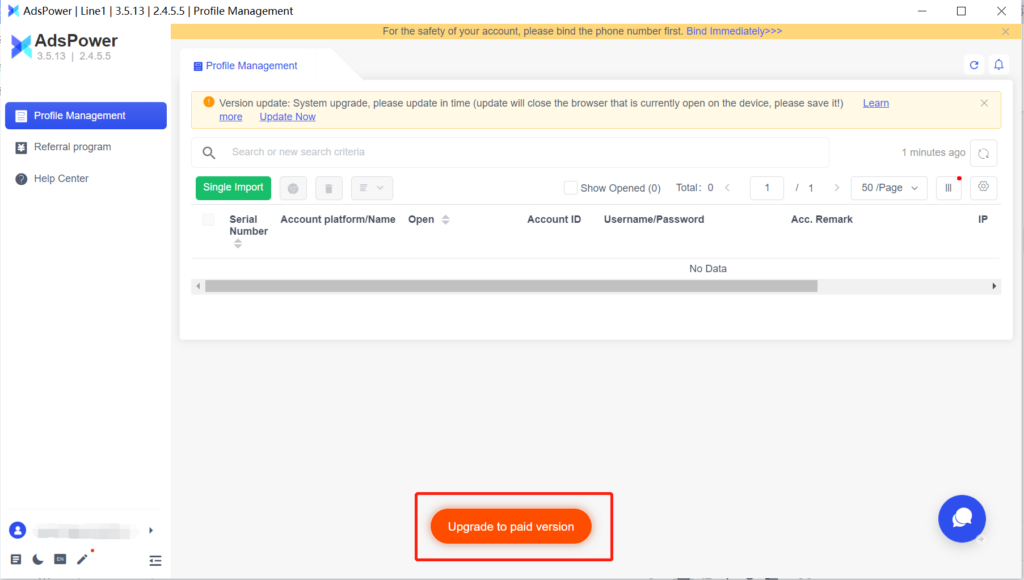
After successful registration, log in to the AdsPower client to upgrade your plan.
When purchasing a plan, confirm the discount code [proxy302] to enjoy a 5% discount for new users.
Setting up a Proxy302 proxy in Adspower requires a network connection to overseas servers. If you do not have such a connection, please refer to the Non-Overseas Environment Connection Tutorial; if you are already connected, refer directly to the Overseas Environment Connection Tutorial.
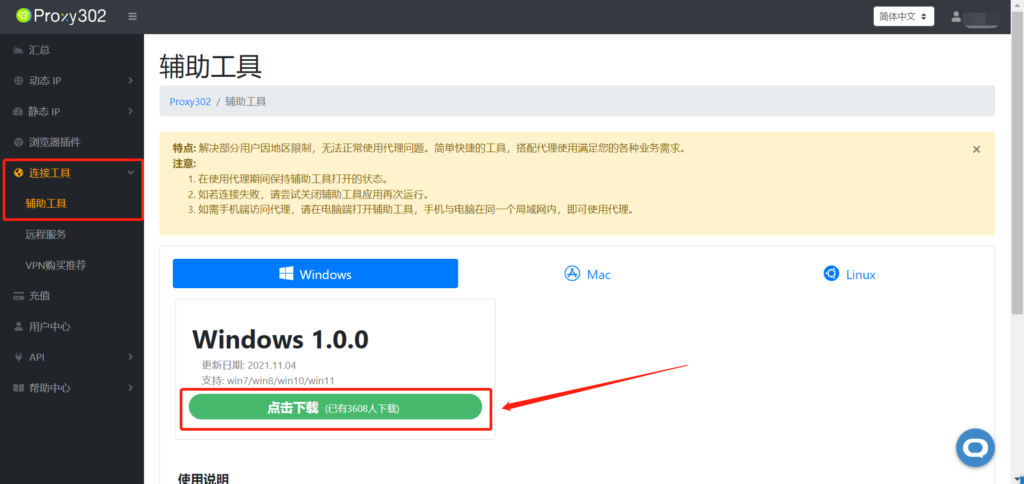
Non-Overseas Environment Connection Tutorial1. Open [Connection Tools] - [Auxiliary Tools] and click to download.
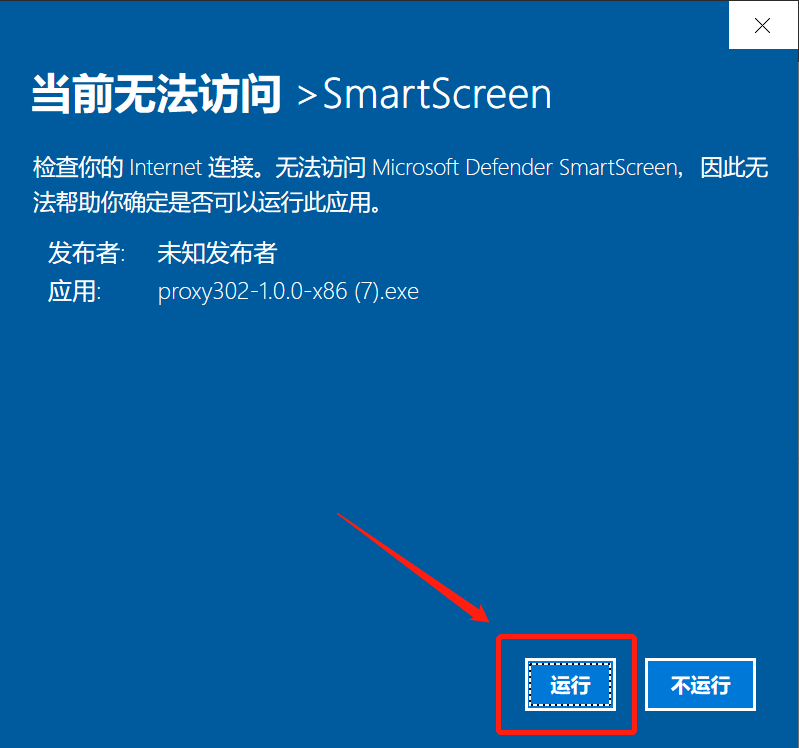
2. Run the application.
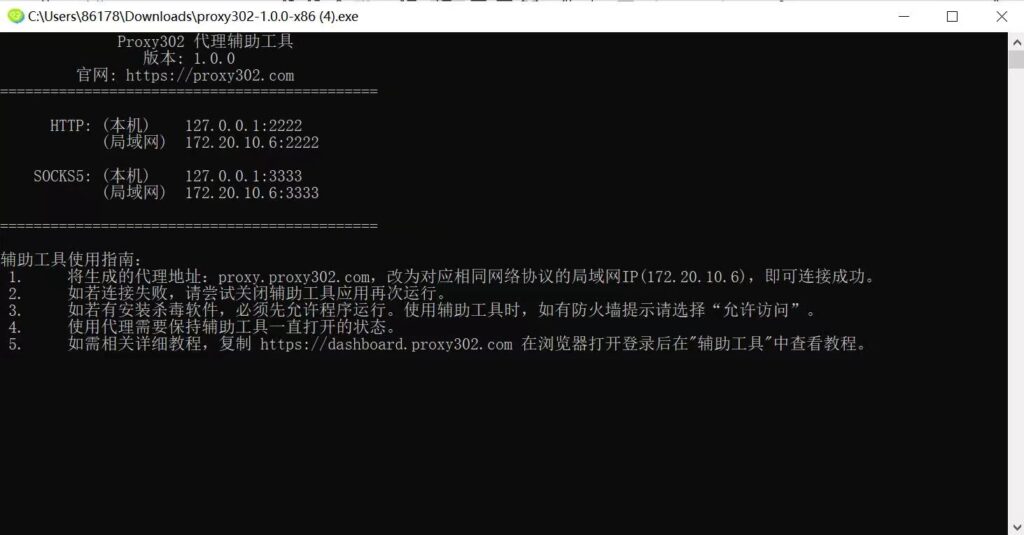
3. Wait for it to load. Once loaded successfully, it will appear as shown below. The auxiliary tool has started successfully; minimize it to let it run in the background.
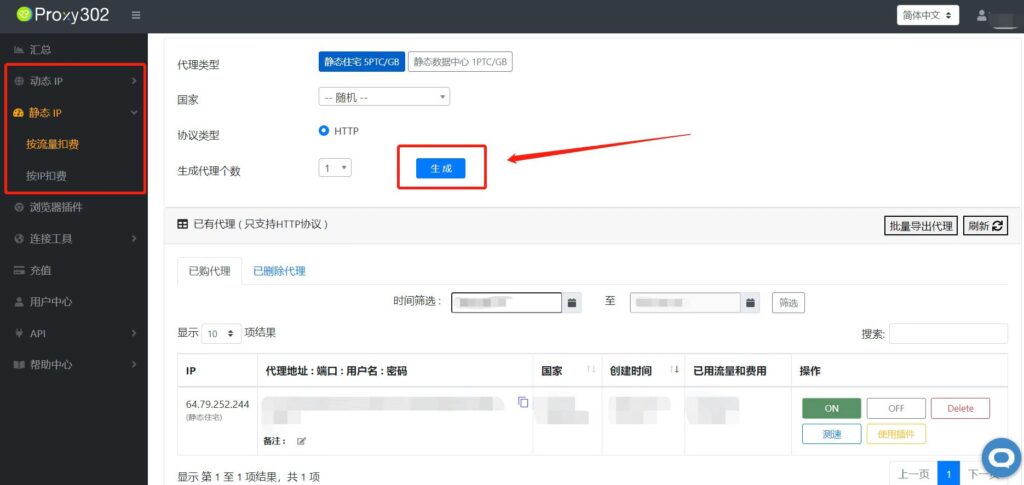
4. Log in to the Proxy302 client to generate a proxy.
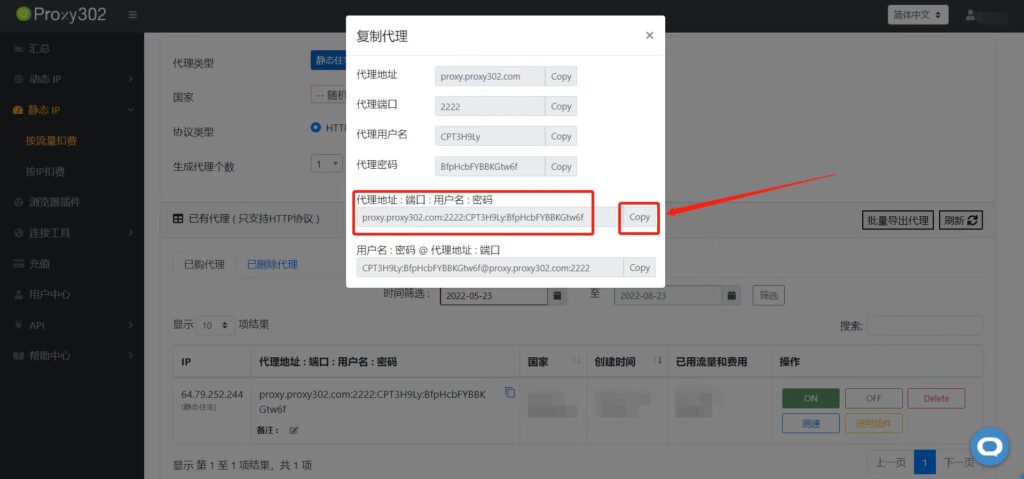
5. Copy the Proxy302 proxy [Address:Port:Username:Password]
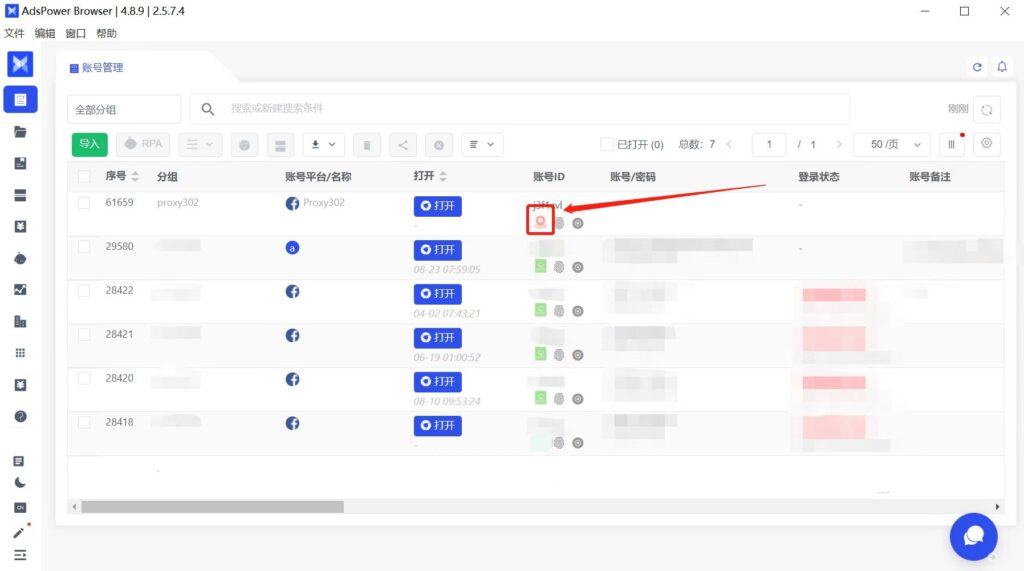
6. Log in to the Adspower client and click the "Modify Proxy" icon.
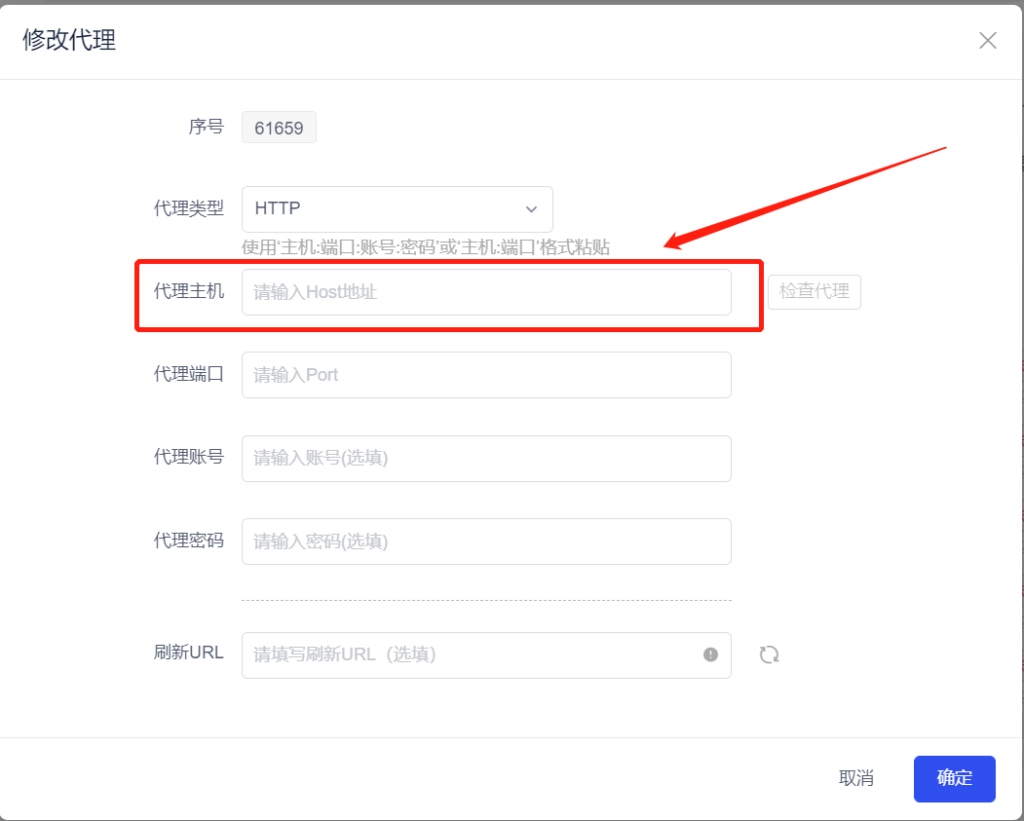
7. Click the "Proxy Host" input box and paste the proxy [Address:Port:Username:Password] with one click.
8. Open the auxiliary tool, copy the LAN address, and enter the LAN address into the proxy host field.
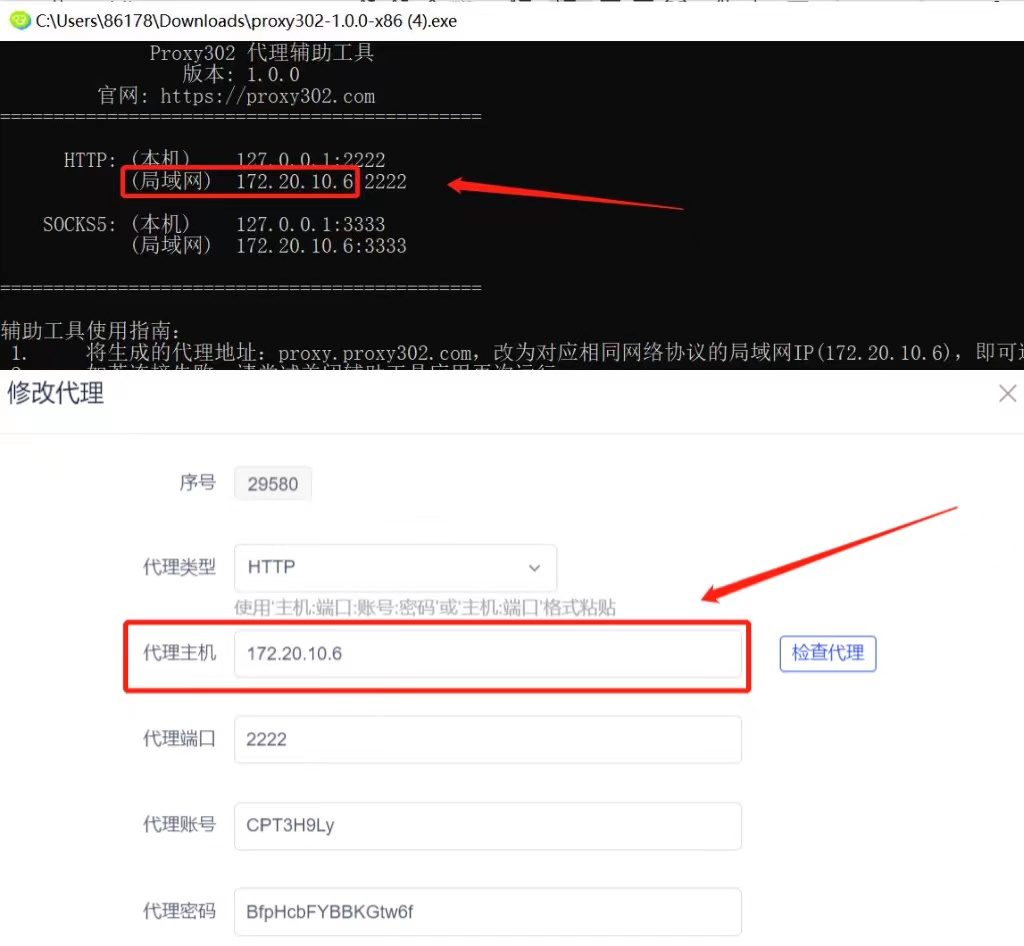
9. Click the "Check Proxy" button to verify if the proxy connection is successful.
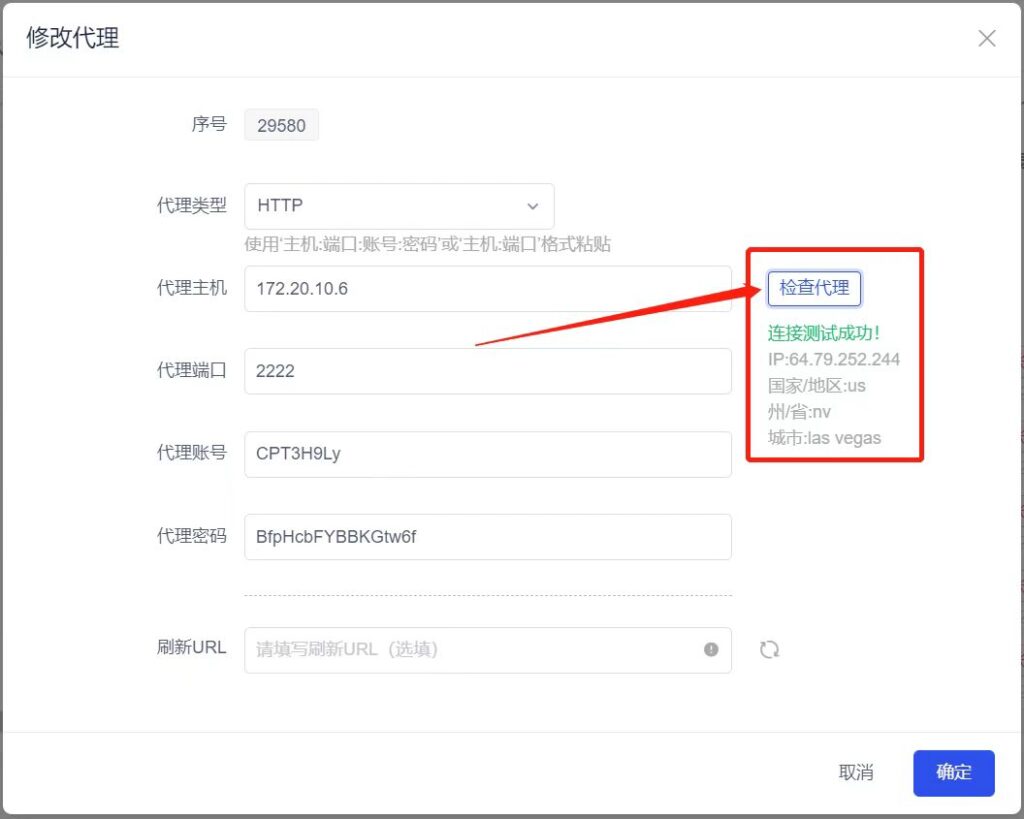
10. Click the "OK" button to successfully modify the proxy.
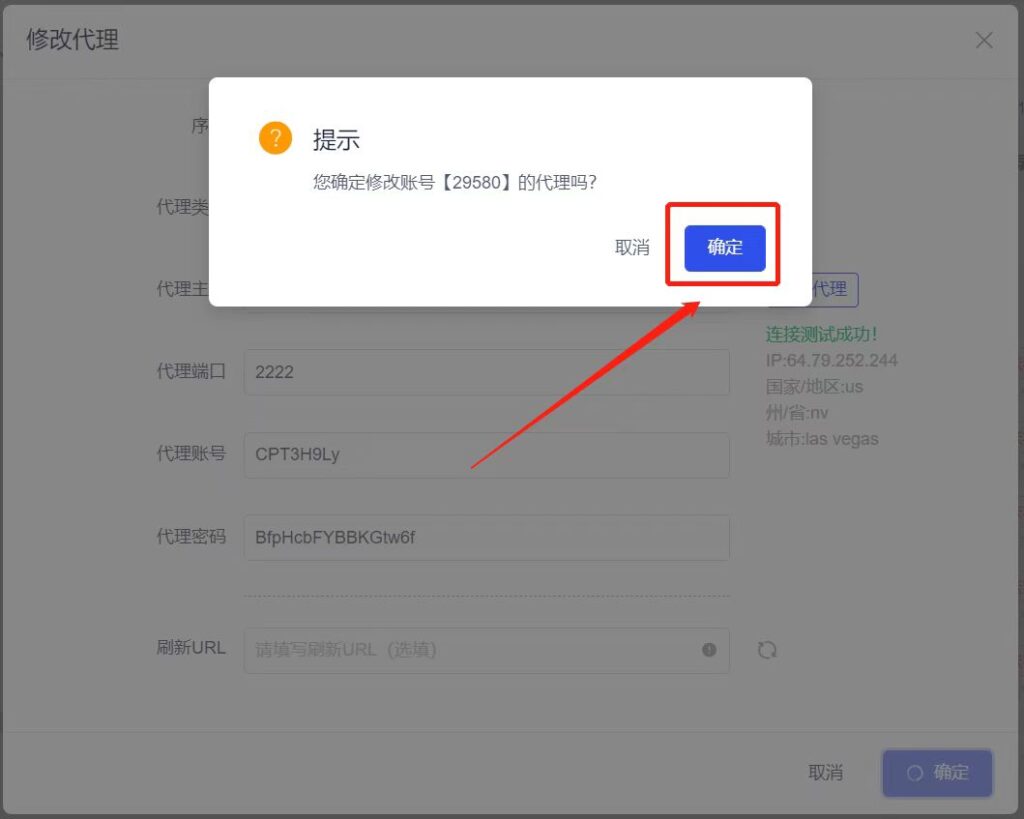
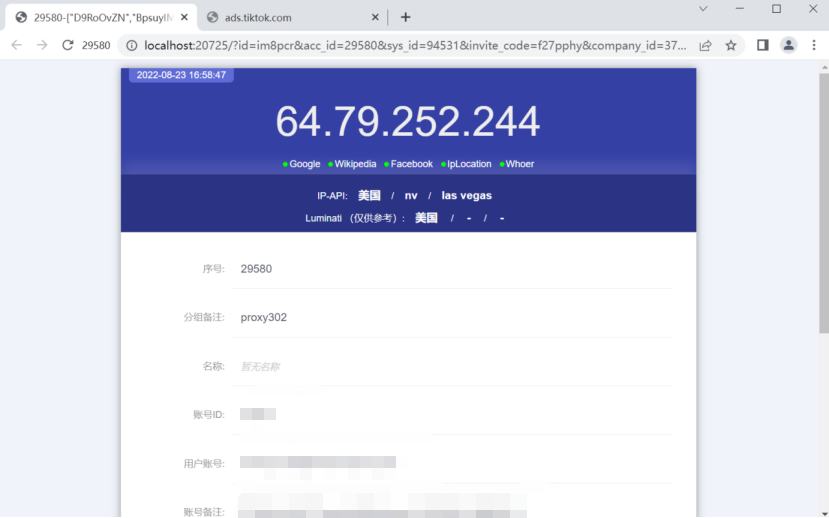
11. Click the "Open" button corresponding to the sequence number.
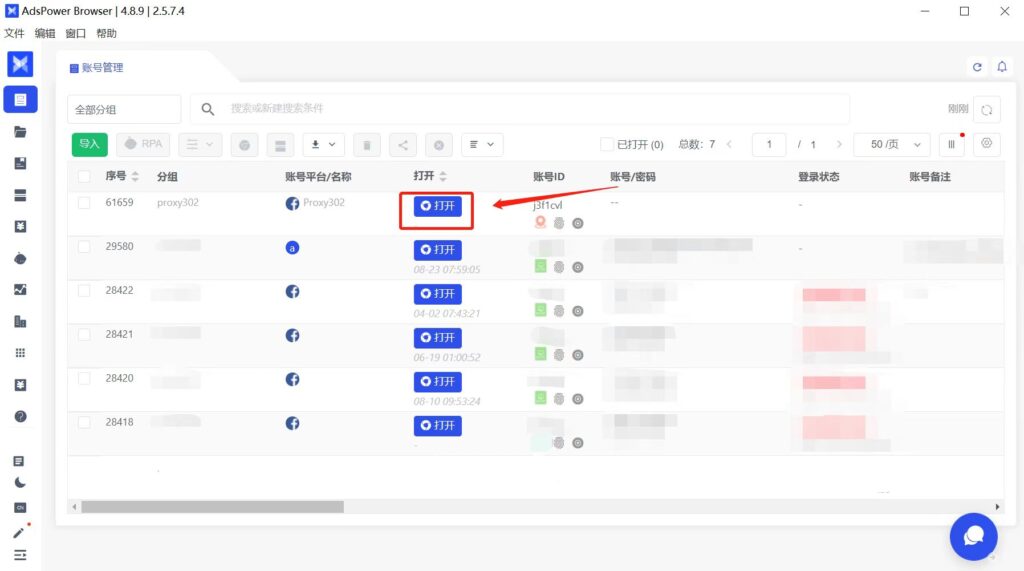
12. After importing the account, click Open to launch browsers for different environments.
Overseas Environment Connection Tutorial
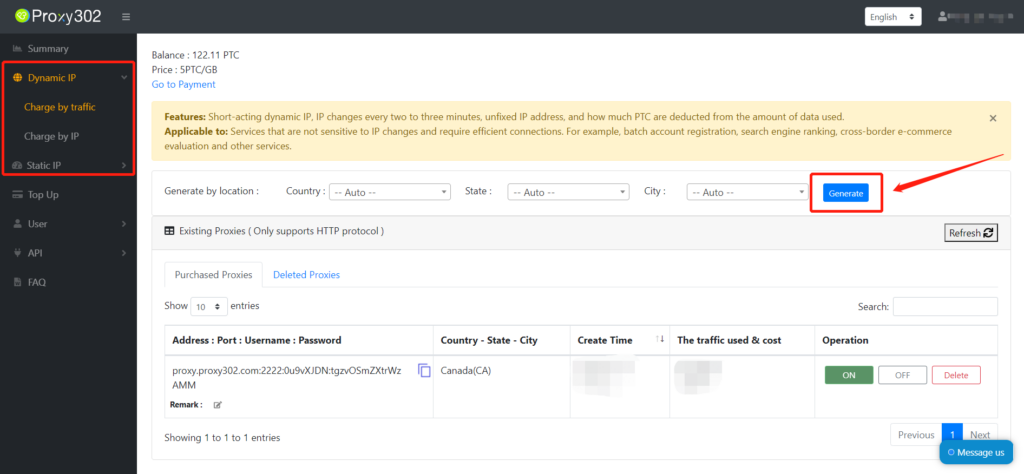
1. Log in to the Proxy302 client to generate a proxy.
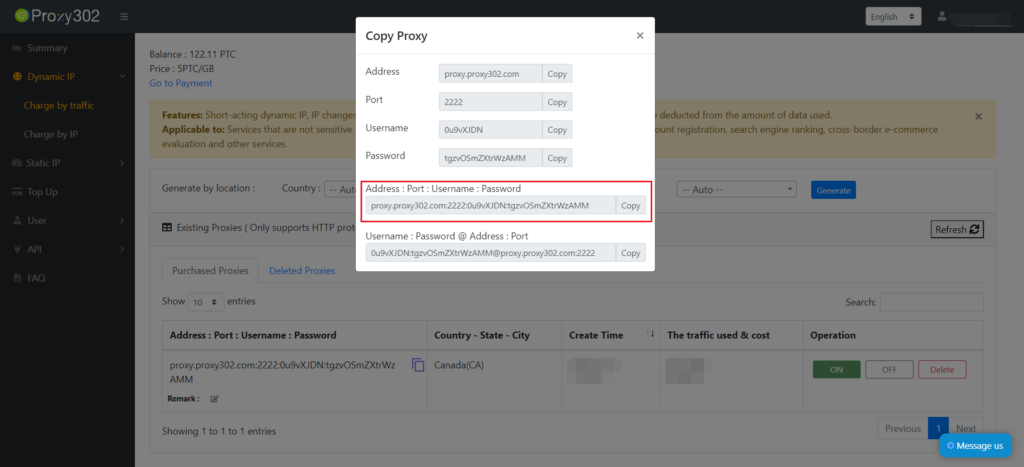
2. Copy the Proxy302 proxy [Address:Port:Username:Password].
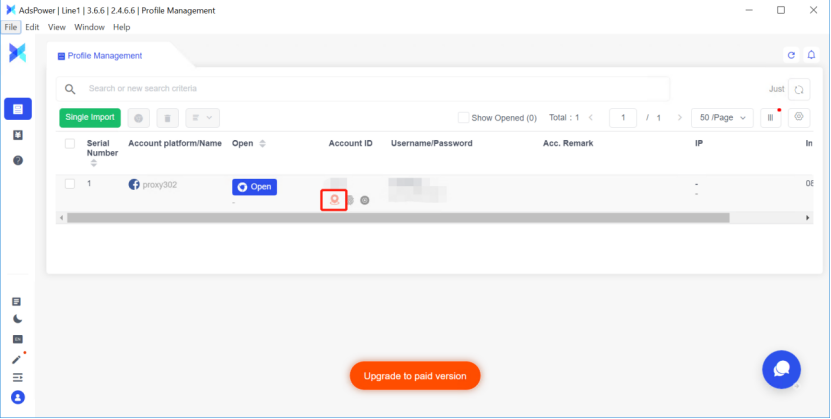
3. Log in to the Adspower client and click the "Modify Proxy" icon.
4. Click the "Proxy Host" input box and paste the proxy [Address:Port:Username:Password].
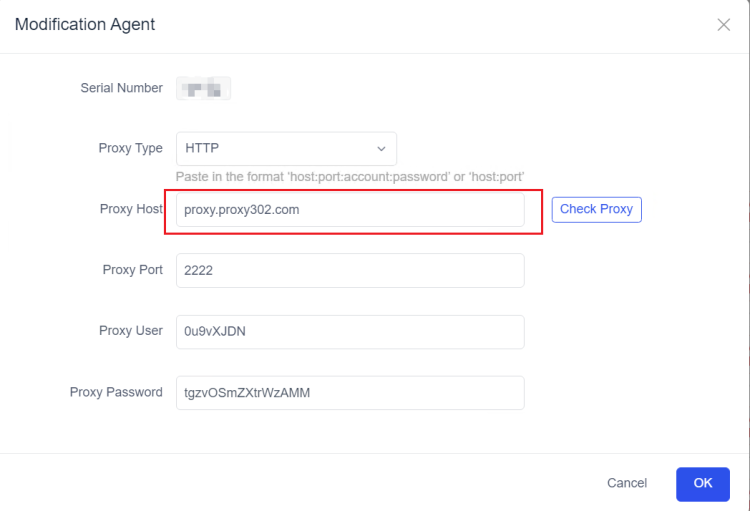
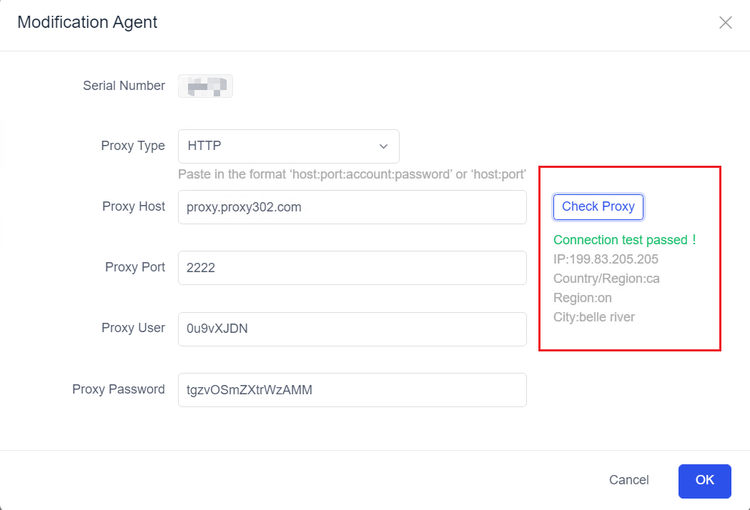
5. Click the "Check Proxy" button to verify if the proxy connection is successful.
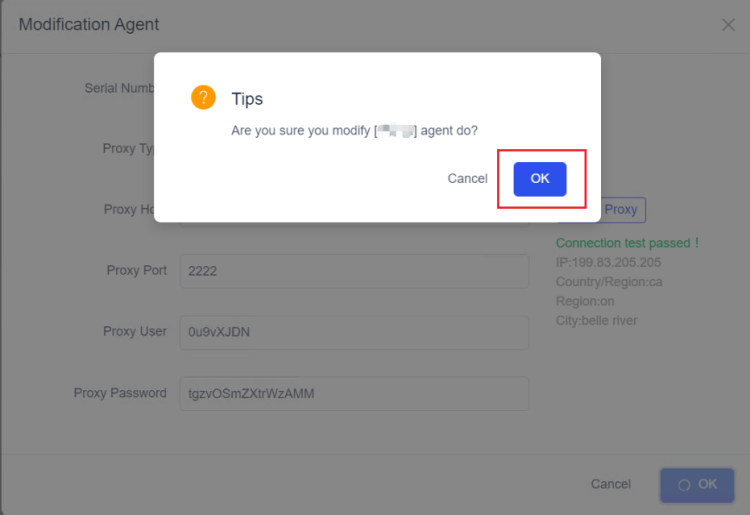
6. Click the "OK" button to successfully modify the proxy.
7. Click the "Open" button corresponding to the sequence number.
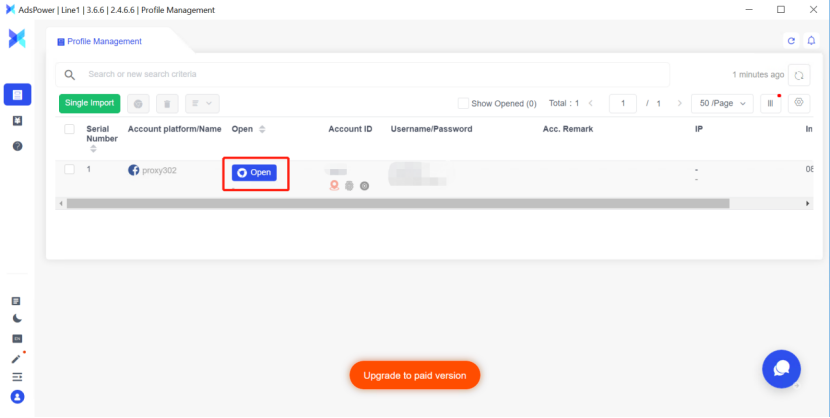
8. After importing the account, click Open to launch browsers for different environments.