Kameleo
旧版指南:截图和辅助工具步骤可能与新版不同,请以当前产品界面为准。
Did you know that your browser is sending information to the website’s servers every time you visit the site? It is not enough to change the IP address in each cases as the GeolocationAPI can still reveal your location, or WebRTC IP detection can leak your real IP address.
Browser fingerprinting is already affecting web scraping, and it will probably become an even bigger problem in the future.
Kameleo is a Stealth Browsing Platform for both Desktop and Mobile. Kameleo app helps to beat the popular browser fingerprinting techniques and ensures 100% privacy on the internet. If you want to find out more Kameleo benefits, check out their official website by clicking here.
Download and install the Kameleo app :https://kameleo.io/downloads/
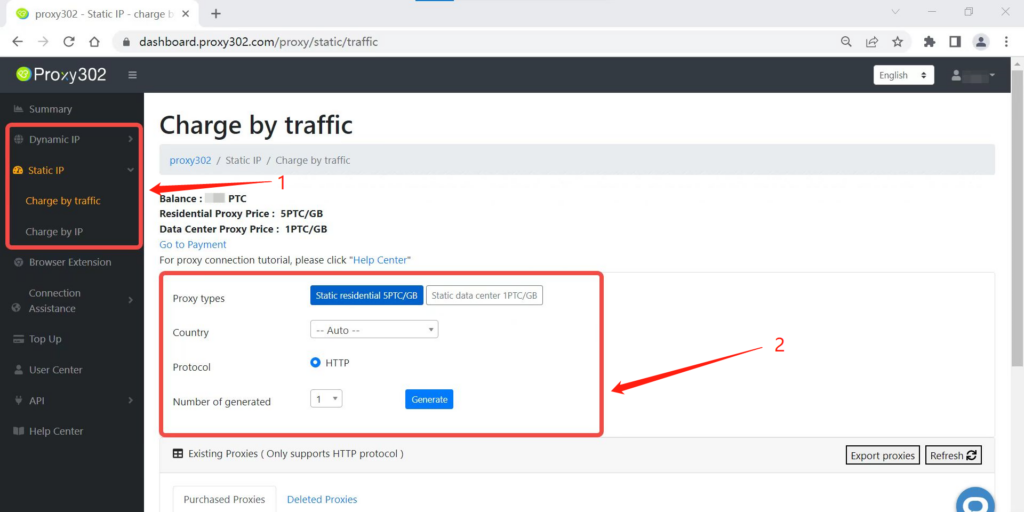
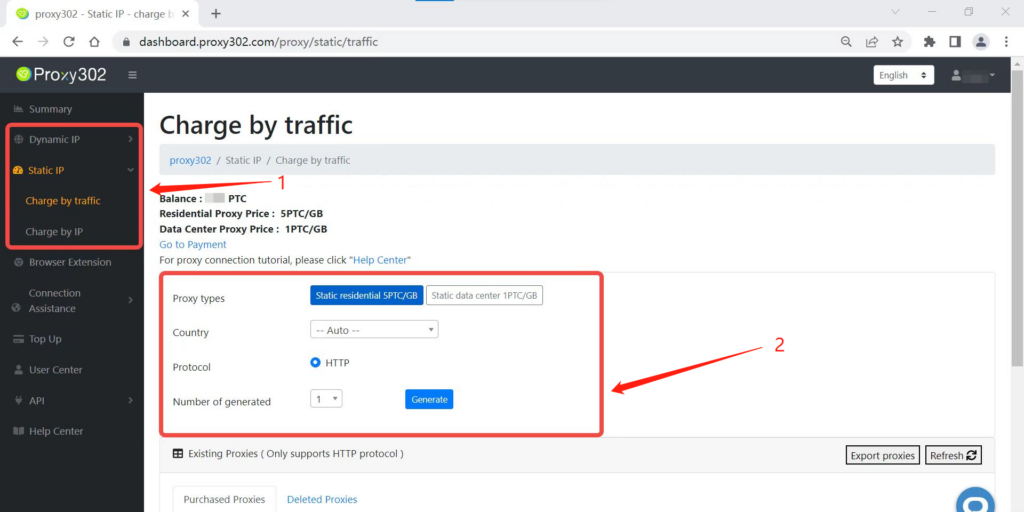
1.Log in Proxy302 and choose the preferred proxy product,click on the create button.
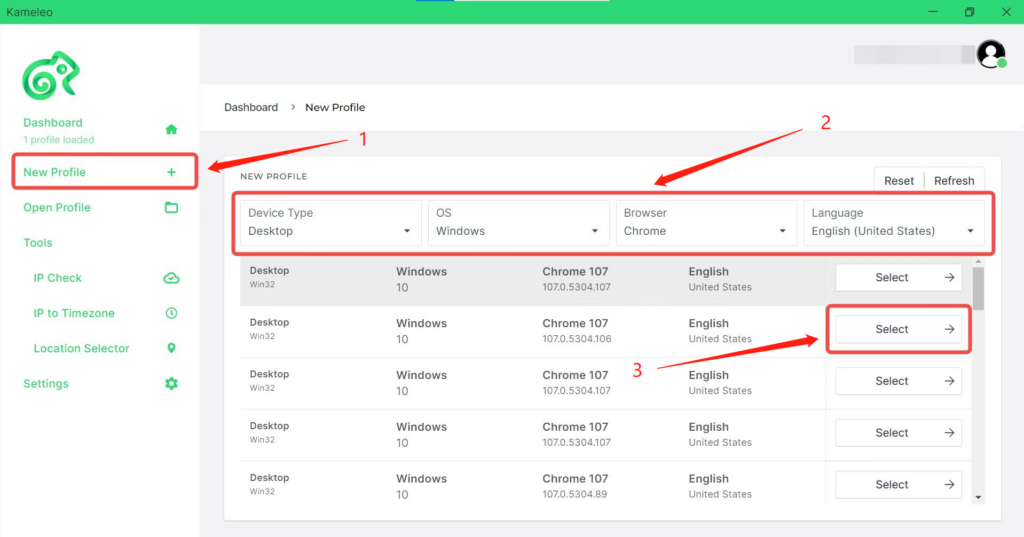
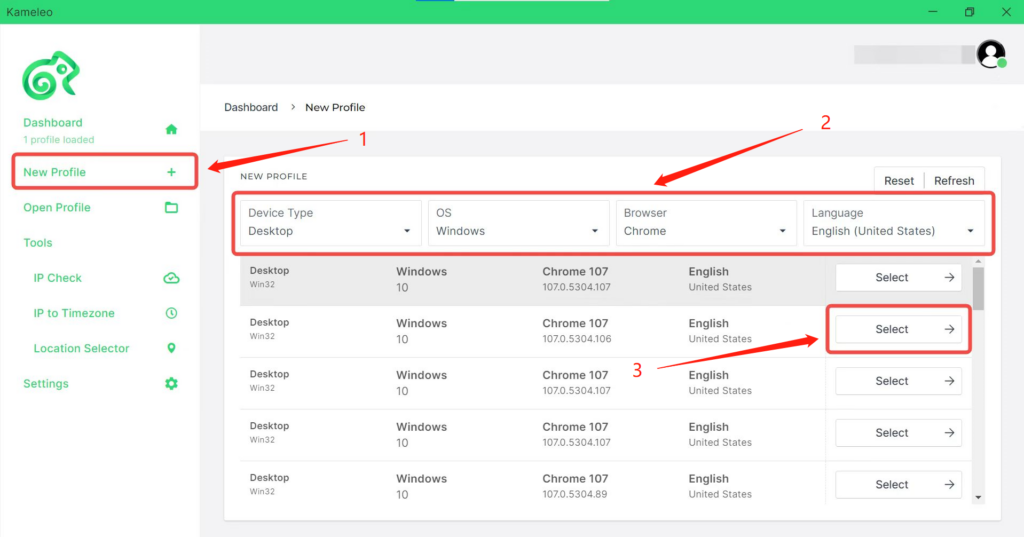
2.Click on New Profile and select a preferred profile.
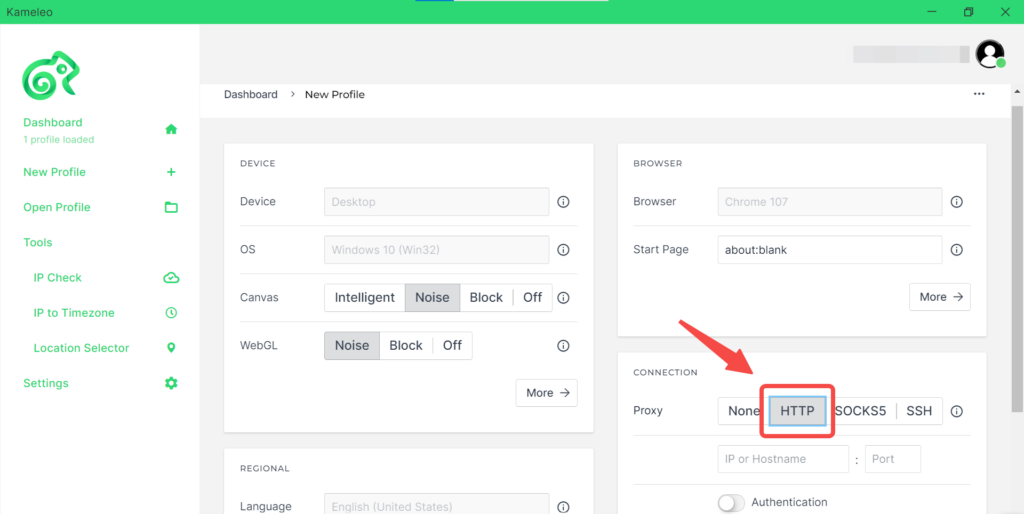
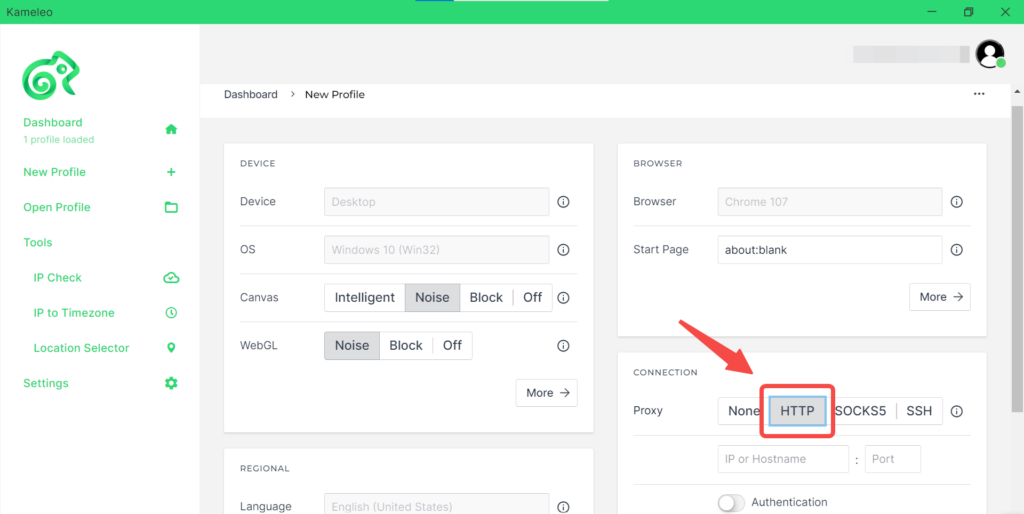
3.Select HTTP/SOCKS5 as a Proxy on the Profile Edit Page.
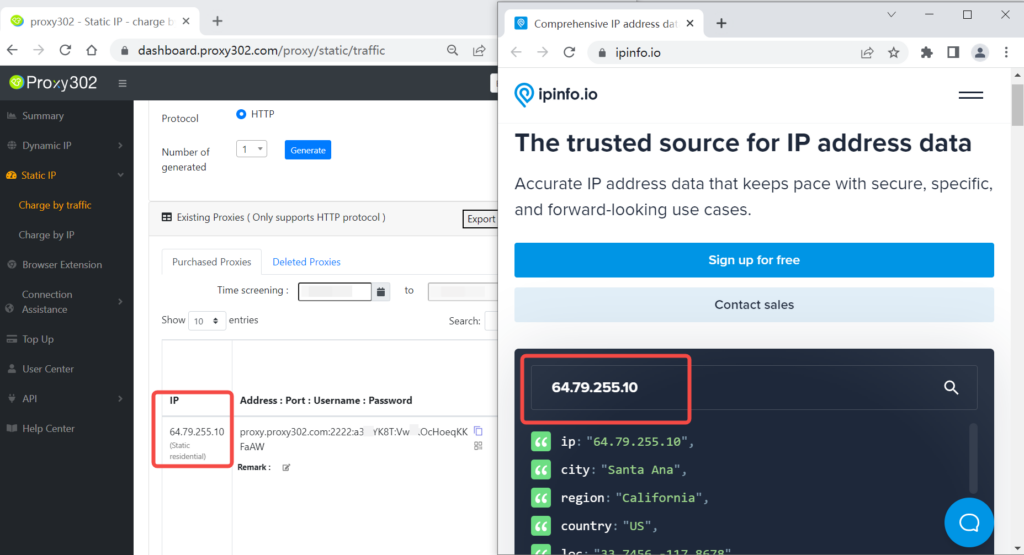
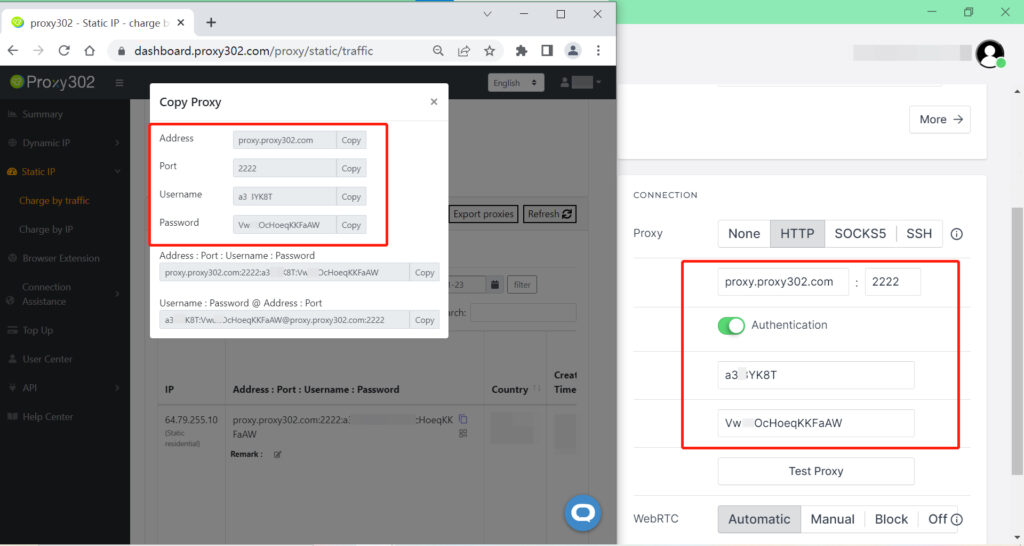
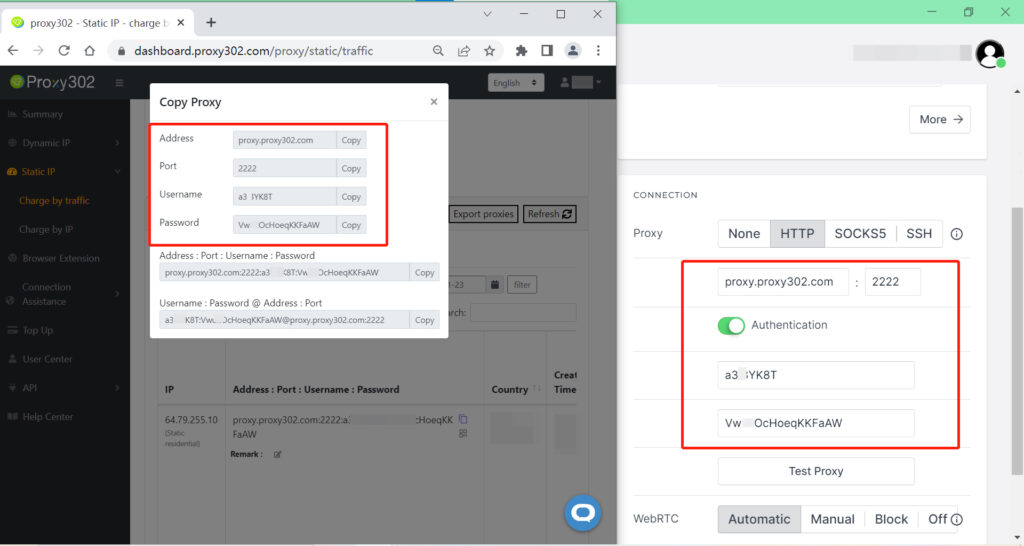
4.Copy and paste the required data to Kameleo. (IP address:Port:Username’:Password)
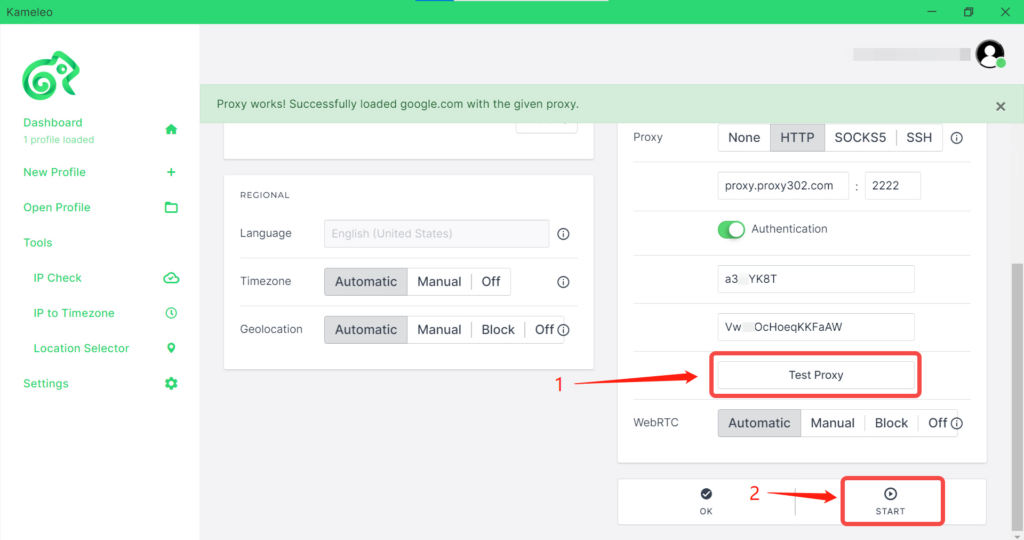
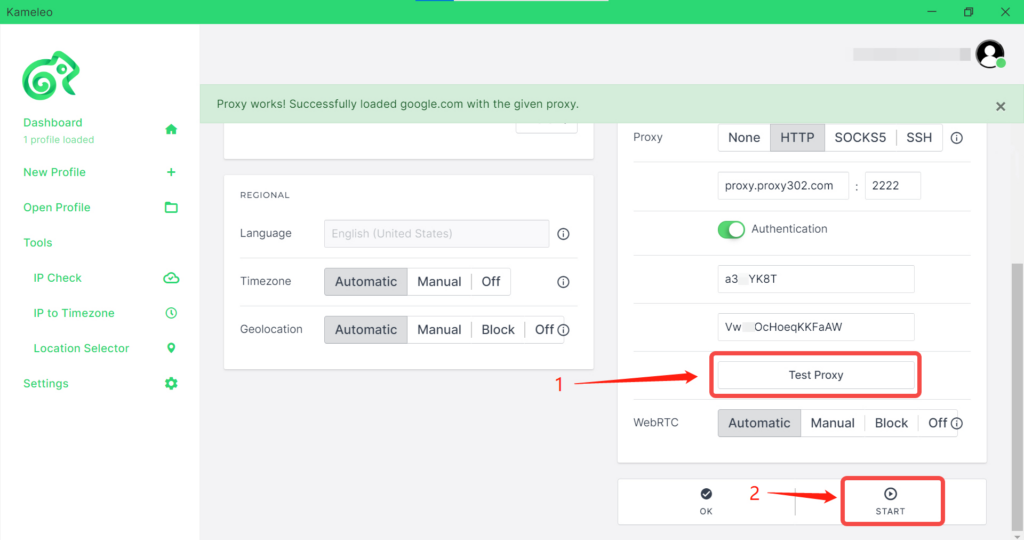
5.By clicking on Test Proxy, you can check that everything is correct. Leave everything on Automatic, then Start the profile.
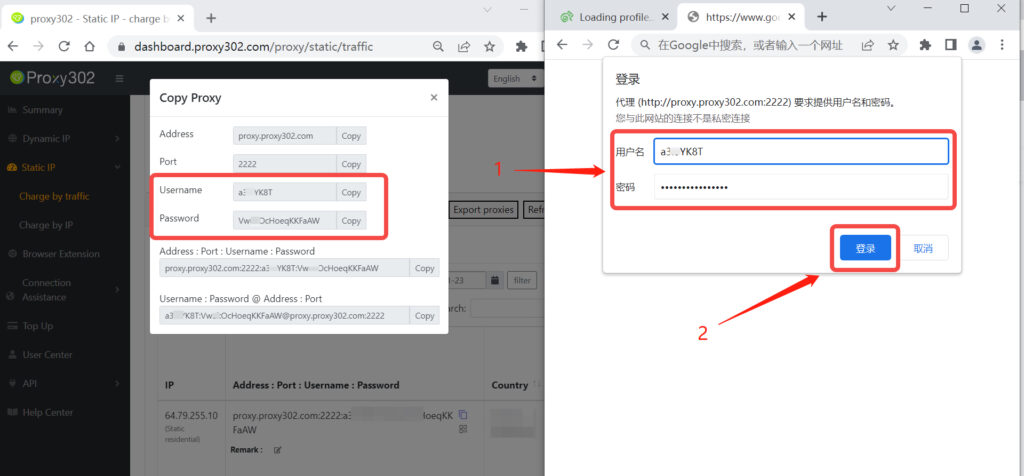
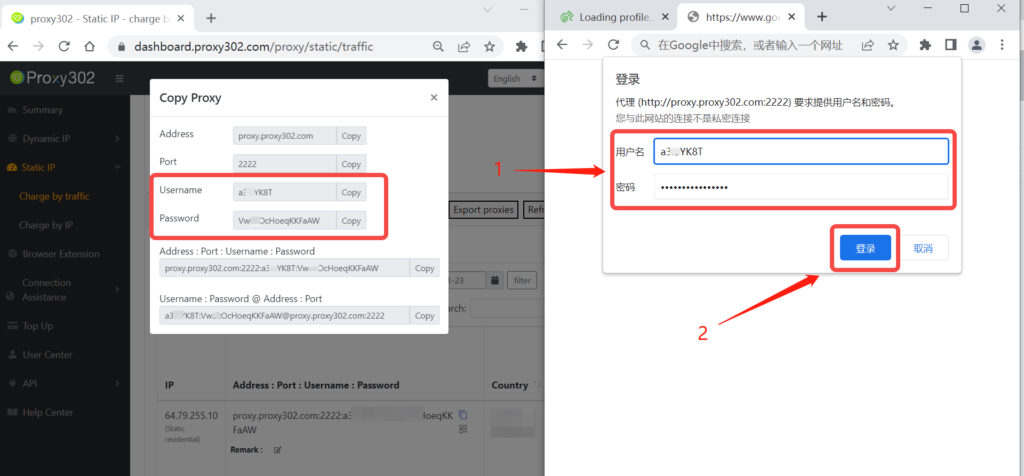
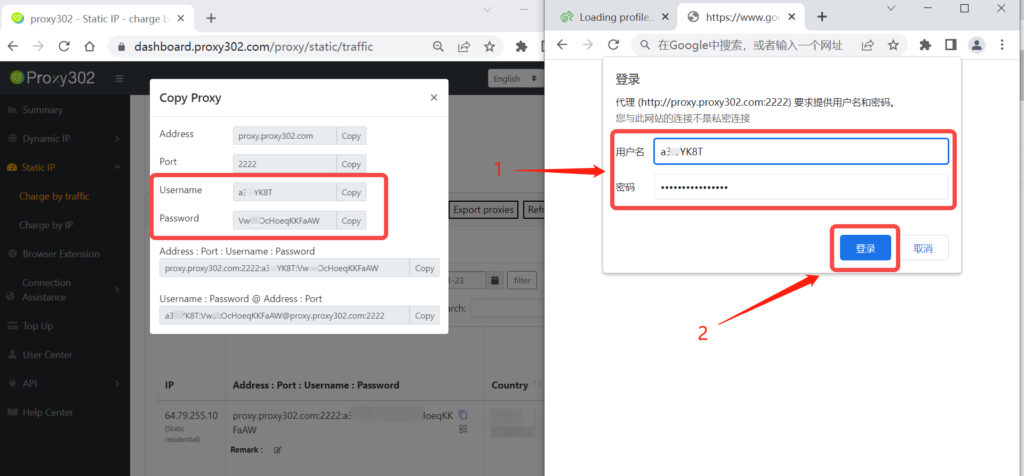
6.Copy and paste the required data to secondary verification.(Username’:Password)
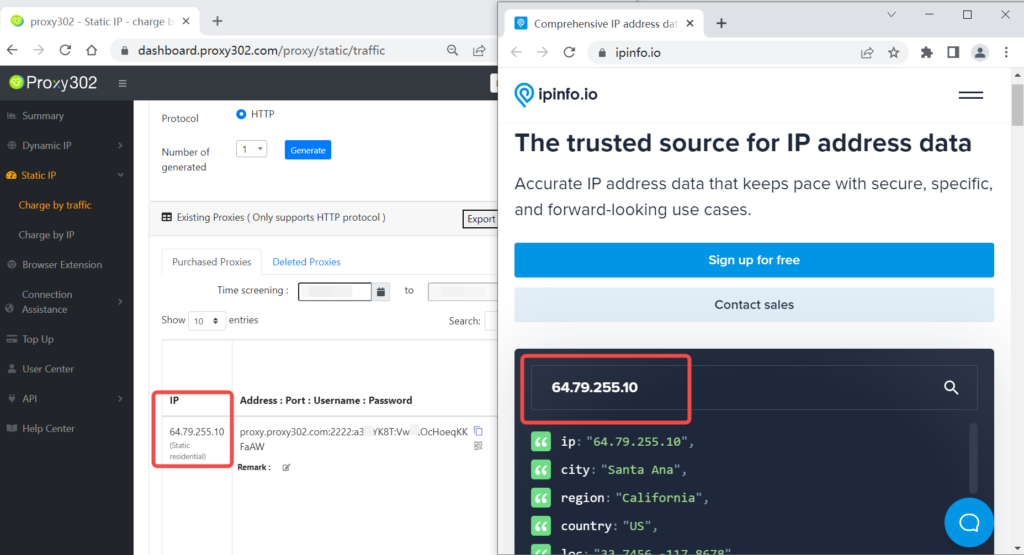
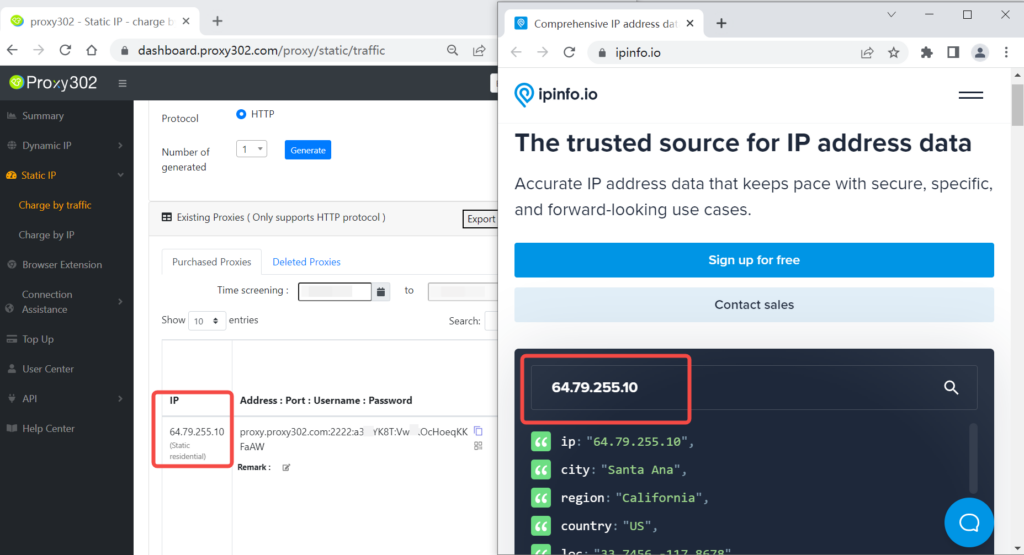
7.Search the site”ipinfo.io” to check that everything is correct.
Kameleo浏览器设置Proxy302代理需要科学上网后使用,若没有科学上网,请参考非海外环境下-连接教程;若已科学上网,直接参考海外环境下-连接教程。
海外环境下-连接教程1.登录Proxy302客户端,选择所需代理类型、国家、协议类型(HTTP/SOCKS5),点击生成代理。
2.单击“新建配置文件”并选择首选配置文件。
3.选择代理相对应的协议:HTTP/SOCKS5。
4.将Proxy302生成的代理信息[代理地址 : 端口 : 用户名 : 密码]复制粘贴到Kameleo’浏览器中。
5.点击[测试]按钮,成功连接代理后,点击[保存并打开]。
6.打开Kameleo浏览器后,需要二次验证,填写[用户名:密码]。
7.在网页中输入“ipinfo.io”,页面的IP地址和设置的代理IP一致,即说明代理设置成功。
非海外环境下-连接教程
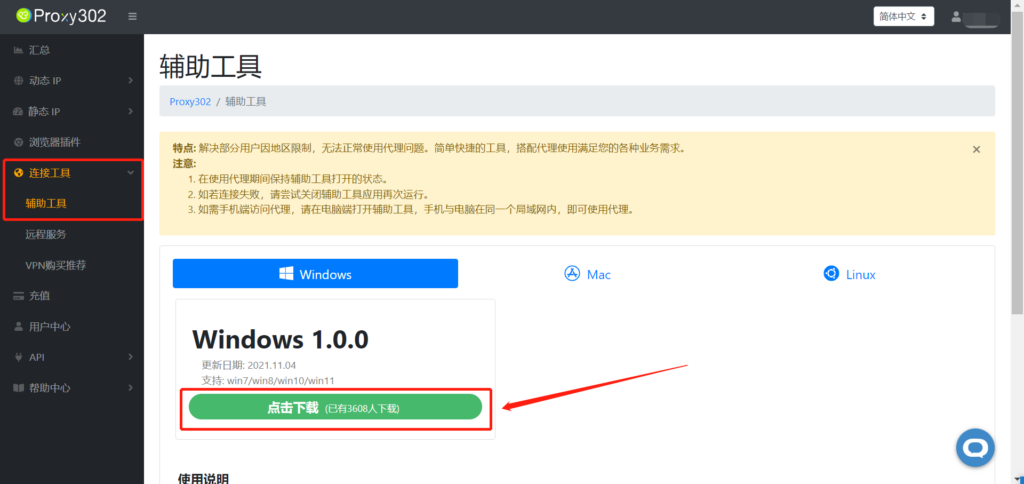
1.登录Proxy 302客户端,打开[连接工具]-[辅助工具],点击下载。
2.点击[运行]按钮。
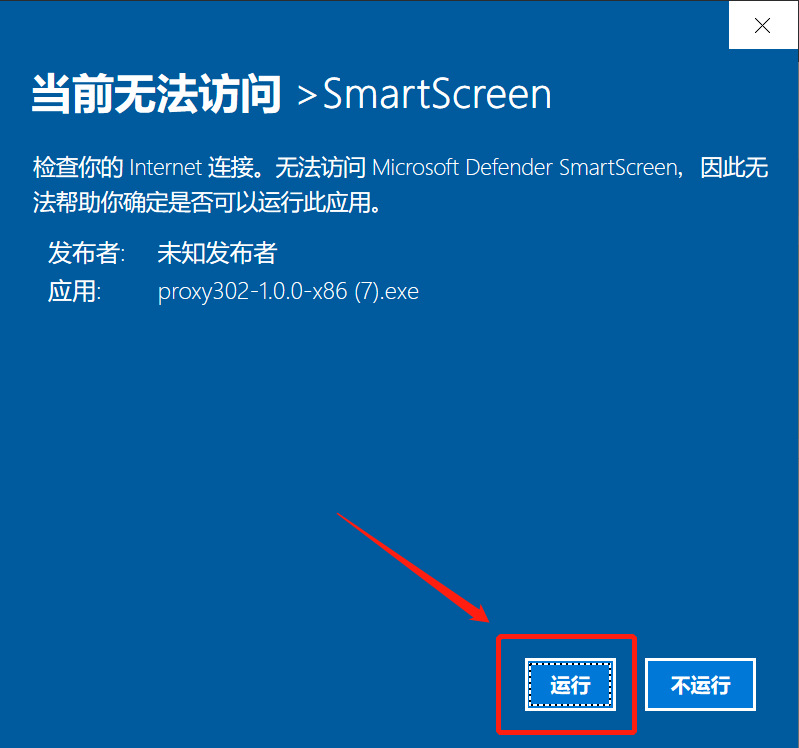
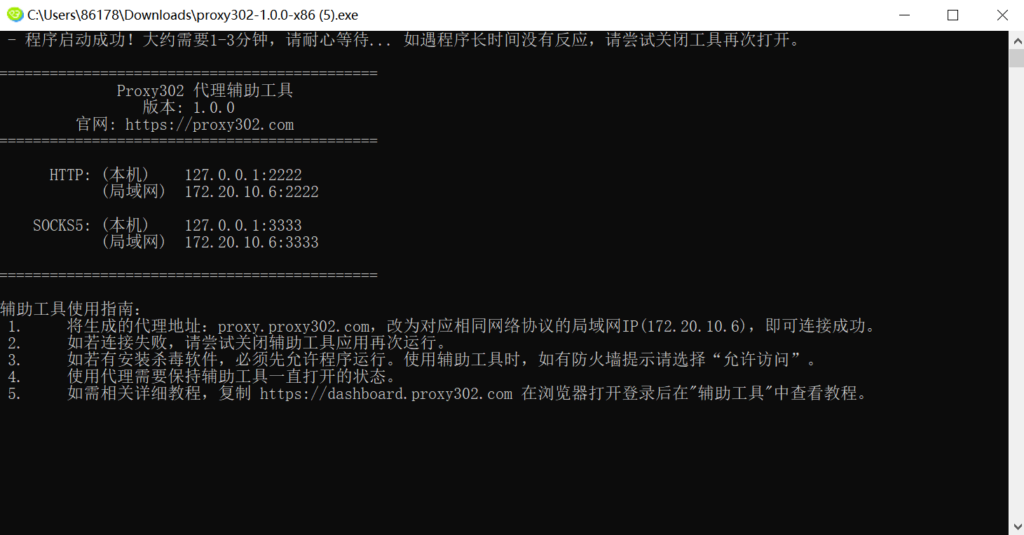
3.等待加载,加载成功后如下图所示,辅助工具启动成功,按最小化使辅助工具在后台运行即可。
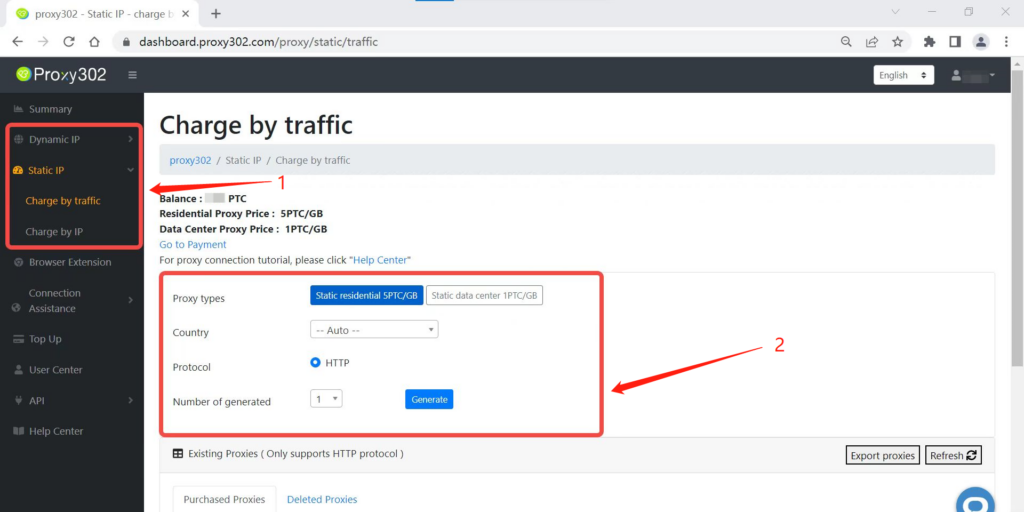
4.选择所需代理类型、国家、协议类型(HTTP/SOCKS5),点击生成代理。
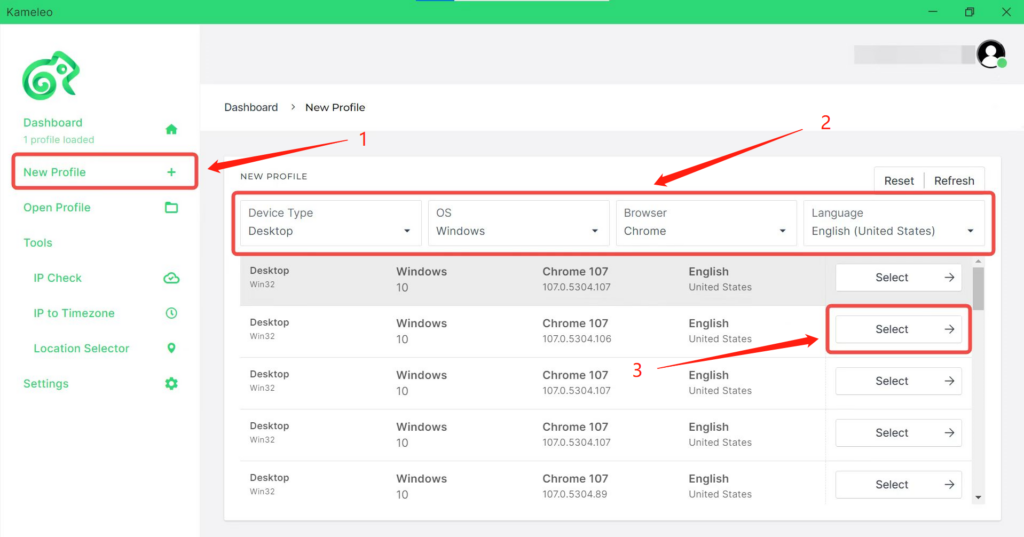
5.单击“新建配置文件”并选择首选配置文件。
6.选择代理相对应的协议:HTTP/SOCKS5。
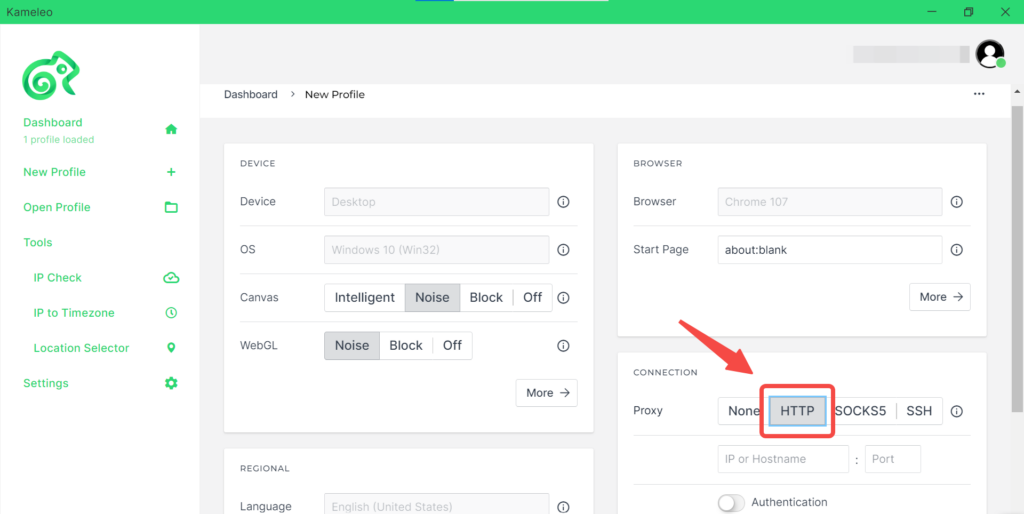
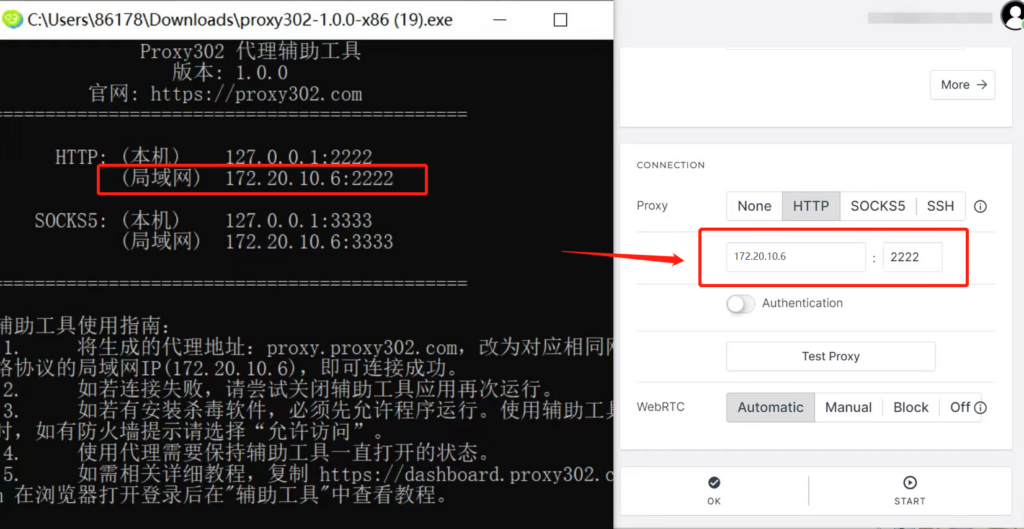
7.打开辅助工具,将局域网的[代理地址、代理端口]填入到kameleo浏览器的[IP地址、端口]输入框中。
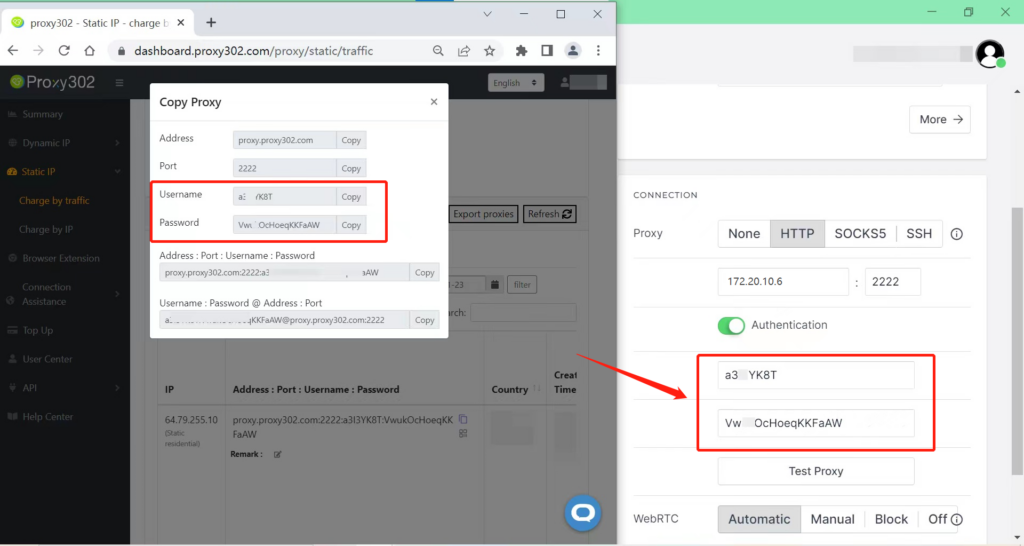
8.将Proxy302生成的代理信息[用户名 : 密码]复制粘贴到Kameleo’浏览器中。
9.点击[测试]按钮,成功连接代理后,点击[保存并打开]。
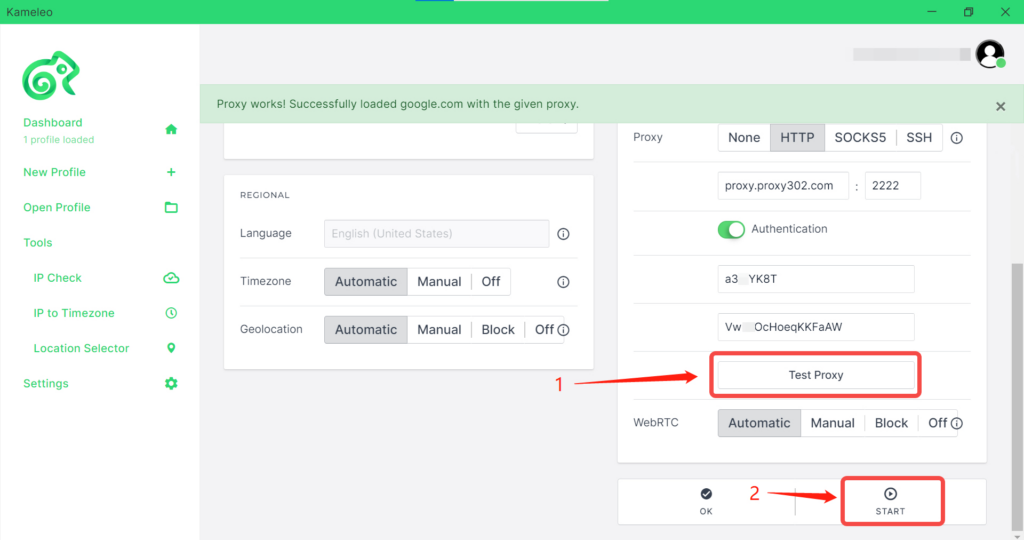
10.打开Kameleo浏览器后,需要二次验证,填写[用户名:密码]。
11.在网页中输入“ipinfo.io”,页面的IP地址和设置的代理IP一致,即说明代理设置成功。